Complex document recognition
Multi-column layouts, tables, formulas and handwriting go to the PaddleOCR-VL vision-language model; the source page and recognition regions sit side by side for page-by-page verification.
 PaddleDesk
PaddleDesk connects to Baidu AI Studio's official PaddleOCR cloud API — tables become CSV, formulas copy as LaTeX, whole pages export as Markdown. Accuracy improves with the official cloud models while the client stays tiny.
v0.1.0 · No ads · No account lock-in — just a free AI Studio token
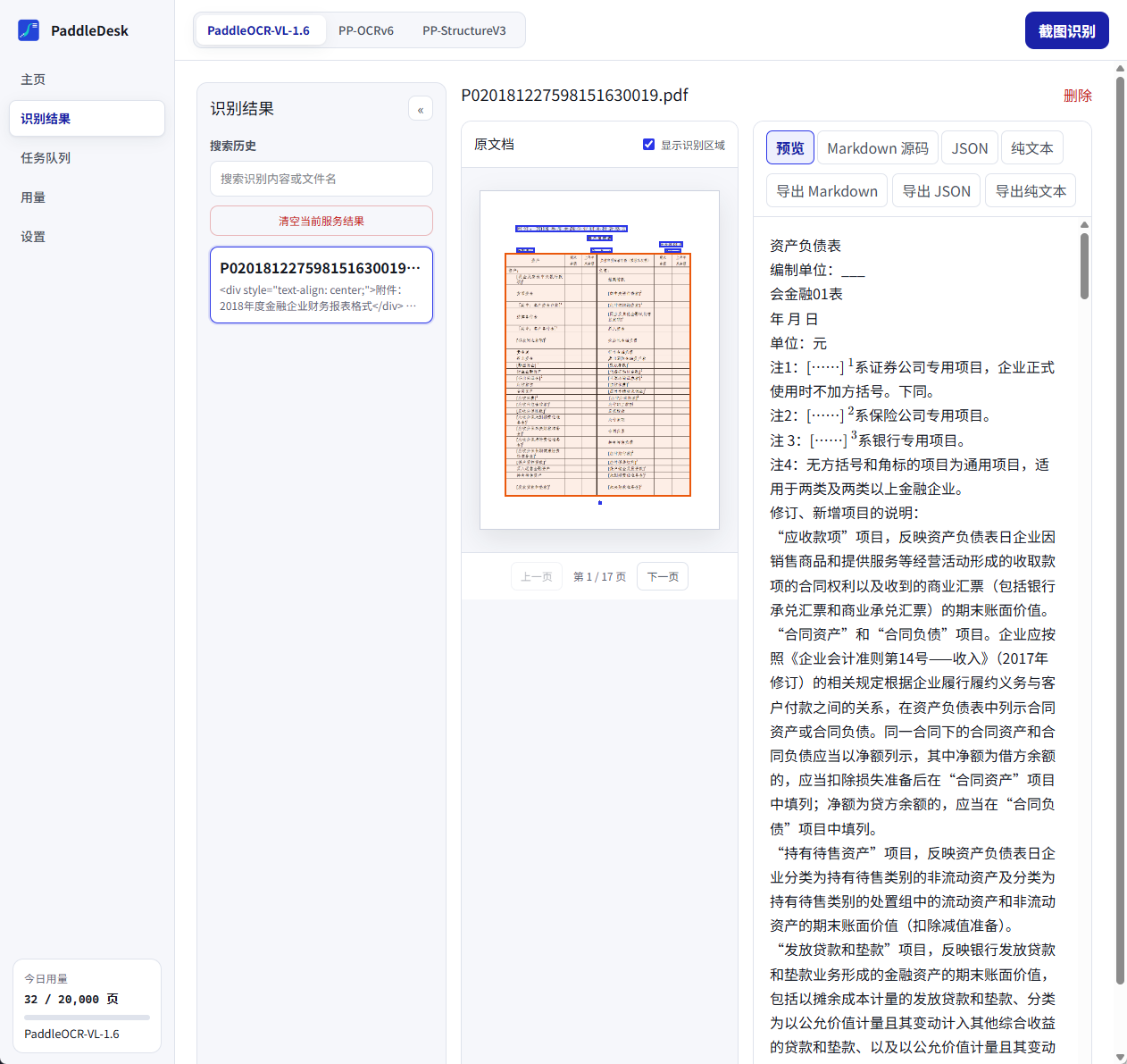
From a quick screen grab to batches of PDFs — recognize, verify and export in one window.
Multi-column layouts, tables, formulas and handwriting go to the PaddleOCR-VL vision-language model; the source page and recognition regions sit side by side for page-by-page verification.
Export tables straight to CSV for Excel; copy formulas as LaTeX for your paper. Whole pages export as Markdown, JSON or TXT.
Ctrl+Alt+S selects any screen region — recognized text lands in your clipboard with a notification.
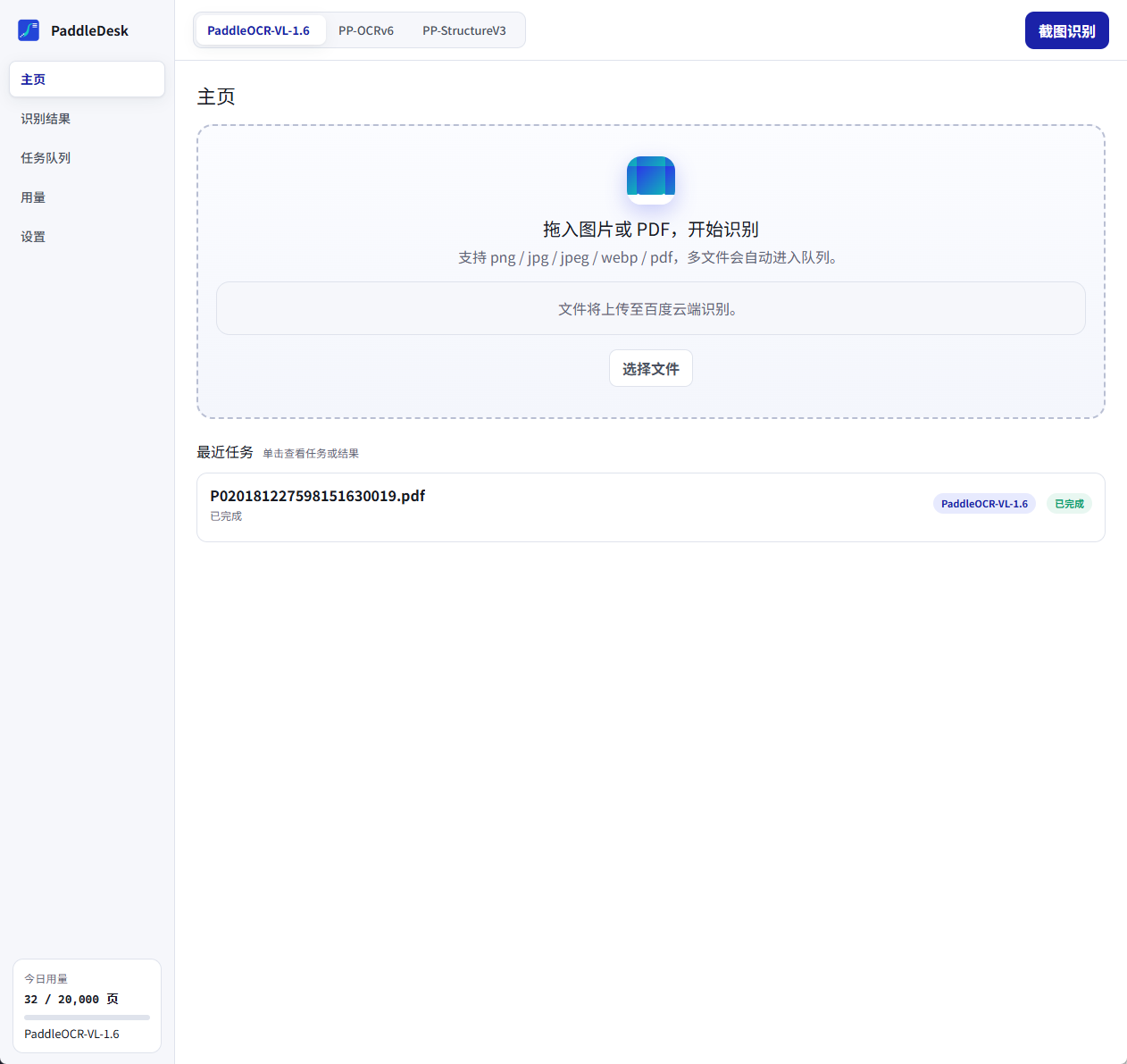
Drop multiple images/PDFs to queue them automatically, with retry, cancel and resume across restarts.
Everything you've recognized is searchable (SQLite FTS5) — or leave no trace with privacy mode.
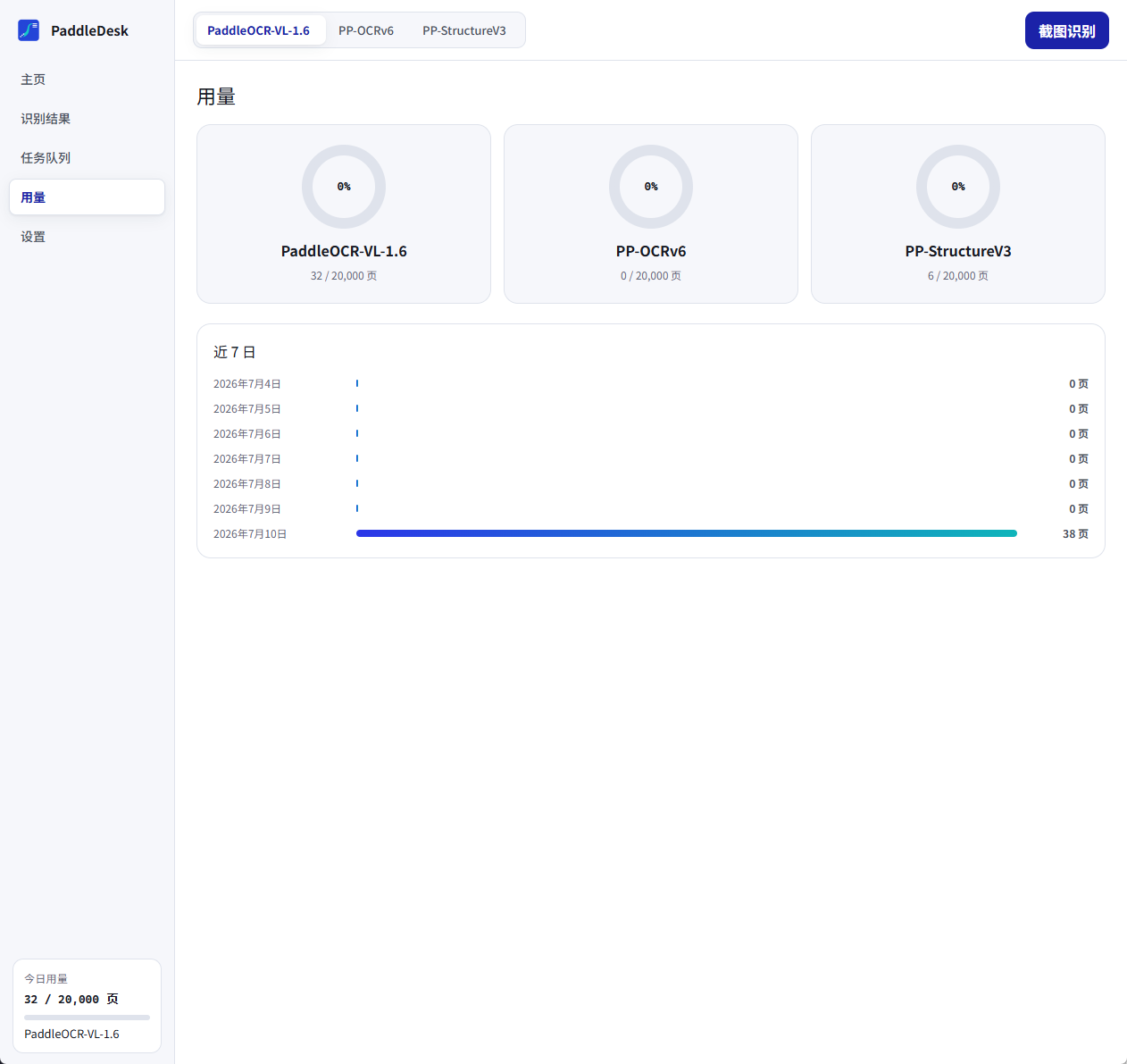
Each service has its own free quota; the app tracks usage per service.
| Service | Positioning | Best for |
|---|---|---|
| PaddleOCR-VL-1.6 | Vision-language model | Complex layouts, handwriting, mixed text-figure documents |
| PP-OCRv6 | General text recognition | Fast recognition of printed screenshots and single images |
| PP-StructureV3 | Layout analysis | Table reconstruction (CSV), formulas (LaTeX), reading order |
Light/dark themes, Chinese & English UI, tray residency — desktop details done right.
Images and documents are uploaded to Baidu Cloud for recognition; your access token lives only in Windows Credential Manager and is never written to files or logs. If a file must stay on your device, use an offline OCR tool.
Install → grab a free token from AI Studio → drop in your first document. Up and running in three minutes.
Windows 10/11 · WebView2 (bundled with Win11) · signature-verified auto-updates